Elastic Man on a Chromebook, Laptop or Phone: What Changes
Published · Updated · 3 min read
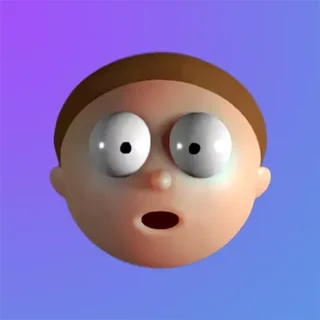
Elastic Man is a single web page with no installer, but it does not behave the same on every device. The script checks what you are using when it loads and picks one of two versions. This post covers what that means on a school Chromebook, a Windows or Mac laptop, and a phone or tablet, plus the few things to try when the face will not load.
What your browser needs
Before it shows anything, the game checks for two things: WebGL with floating-point textures (the OES_texture_float extension) and the Web Audio API. If either is missing, you get a short message saying "Your browser does not support the required features. Try another browser and/or device!" instead of the face. Current Chrome, Edge, Firefox and Safari all have both, so that message usually means a very old browser, or WebGL turned off by a setting or an admin policy.
Chromebook and laptop: the full version
The game decides whether you are on a phone by reading the browser's user-agent string, looking for words such as Android, iPhone, iPad and Windows Phone. A Chromebook reports itself as Chrome OS, so it gets the same full version as a Windows or Mac laptop. That version has:
- a Quality switch in the top-right corner with two settings, Medium and High. Medium is selected when the page opens;
- the wrinkle simulation, which draws creases into the skin where it is squashed;
- mouse wheel zoom: scroll down and the camera pulls back to a wider view, scroll up and it returns to the normal view. There are only those two zoom levels, and the camera glides between them.
Only the left mouse button grabs the skin. You have to press on the face itself, because a click on the black background grabs nothing. The game listens for the button release anywhere on the page, so you can drag well past the edge of the face and still let go cleanly.
If the face looks jerky on an older Chromebook, check that Quality still says Medium. High asks more of the graphics chip and gives you nothing extra to do.
Phones and tablets: the simplified version
On a device whose user agent names Android, iPhone, iPad, iPod, webOS, BlackBerry or Windows Phone, the game loads its simplified mode. There is no Quality switch, and a static skin replaces the wrinkle simulation. Controls are one finger only: the game starts a pull when exactly one finger touches the face, and a second finger does nothing. The pull ends when every finger is off the screen. The game also blocks the page from scrolling while your finger is on the face, so swipe outside the play area if you want to scroll.
If it does not load or has no sound
- Loading bar stuck: the game loads its parts in steps (code, face, hair, eyes, textures, audio). Reload once before trying anything else.
- Unsupported-browser message: update the browser, or try another one. On a managed school device, WebGL may be switched off by policy, and only the admin can change that.
- No sound: browsers start audio only after you interact with the page. Pull the skin and let go once, and the game switches its audio on.
- Face too small or too large: it fills the window. Use the Fullscreen button under the player, or turn the mouse wheel to switch zoom levels.
More from the blog
- How Elastic Man Works: Who Made It and What Is Simulated
David Li made Elastic Man for Adult Swim in 2017. Here is what the code simulates: skin, eyes, hair, wrinkles, head turns and live sound.